
ReefMind.ai product update
What’s new on ReefMind.ai: camera notes that explain changes, steadier voice, ICP reports
Here’s everything that reached every ReefMind.ai account between October 1 and October 5.
Camera notes that tell you what changed
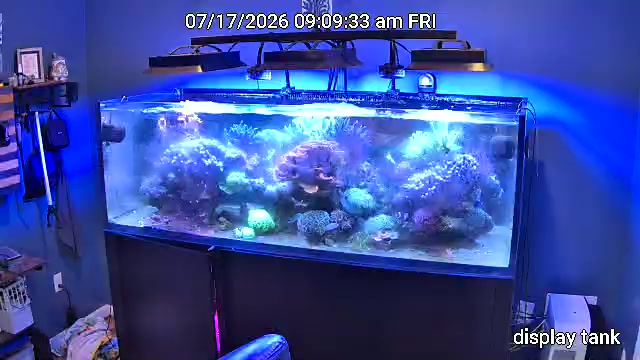
Camera notes now lead with the fish and corals on your Livestock list by name, and the Camera tab shows when each one was last seen. Each note says what changed since the last photo, the likely reason from your own tank data (a reading past your limits, a dose, a water change) and one next step. Display notes also cover fish behavior, water clarity, polyps and colors, and night-vision frames are skipped. It’s context, not a diagnosis: if something looks off, go take a look.
Sump cameras watch the sump
A sump camera now reports what matters down there: water level, whether the skimmer is running, how full and clean the cup is, and real problems like detritus or dirty filter socks. A normal sump gets a single line.
Clearer camera setup
Test Connection now gives one plain result: what happened and the one thing to try, like checking the password or turning on RTSP. The network scan is better at recognizing Reolink cameras, and an empty scan tells you what to turn on in the Reolink app.
A Monday email when a camera needs fixing
If a camera stops working, a Monday morning email says what’s wrong and how to fix it, like a new IP address after a router restart or a rejected password. The same problem isn’t emailed again for four weeks.
Captain Chris live voice is steadier
On a careful answer, Captain Chris starts speaking as soon as the first sentences are ready, the screen shows what he’s checking, and a longer wait gets a useful tip instead of “still checking.” He stays on the question you asked, follow-ups like “is it trending down?” stay on topic, and he asks when a question is unclear. Sessions now last up to 10 minutes. Voice is included in Plus and Pro.
Send Captain Chris any phone photo
iPhone HEIC photos and large phone photos now attach to Captain Chris chat.
Print or share an ICP report
On the ICP tab, Print and Share turn the selected test into a report: what needs attention (value, target and what to do), Captain Chris’s analysis if you have one, then every result. Share it with your local fish store or reef club.
Download the Docker Collector yourself
Run the Collector on a computer or NAS you already own: download the Docker Collector from Settings → Collectors or the Docker Collector guide, which now covers QNAP, Unraid, TrueNAS SCALE and Synology.
Your cameras stay private until you let support in
A new Support Access section in Settings keeps your cameras private: support can open them only after you choose data and cameras, for 1, 4 or 24 hours. Camera access ends on its own or when you end it, and every support visit shows in the access log.
HYDROS: first reading right away, easier key changes
A new official HYDROS connection now gets its first reading right away. A disconnected or expired tank can enter its Device Key again, and Replace Device Key in Settings swaps keys while keeping your history and Dosing Map. Still on the old connection? Here’s how to reconnect in about 2 minutes.
Questions or want a hand with any of this? Find me on Discord at https://discord.gg/Mz6AMz9ZKa.
Brett Miller
Founder, ReefMind.ai