
ReefMind.ai product update
Get up close with your fish: Wyze Cam v4 now works with ReefMind.ai
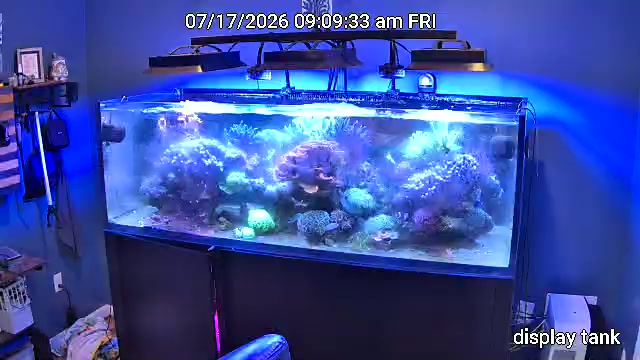
Most reef cameras see your tank from across the room. You get the whole aquascape, and your fish are a few specks swimming through it. That’s great for a glance, but not for actually keeping an eye on your fish.
The Wyze Cam v4 changes that. It’s small, inexpensive, and records sharp 2.5K video, so you can set it right up against the glass and point it at the spot your fish actually spend their time. As of this week, it works with ReefMind.ai.
Close-ups of your fish
Put the camera where the action is: the rockwork your wrasse patrols, the anemone your clowns live in, the corner where everyone shows up at feeding time. Your Collector takes regular snapshots from it all day, and you can open Live View whenever you want to watch.
Close-ups are what make the rest of this work. The closer the camera, the easier it is to tell your fish apart.
Captain Chris keeps an eye on who’s out
Captain Chris uses your camera to keep track of your fish. For each fish on your tank’s Livestock list, he keeps track of when the cameras last spotted it and how often it usually shows up.
That means you can ask him things like:
- “When did you last see my Yellow Tang?”
- “Which of my fish have you spotted today?”
And if a fish that’s usually out in the open hasn’t been spotted in a while, he may bring it up and ask you about it. He’ll never say a fish is gone or sick. He’ll tell you he hasn’t spotted it on camera, so you can go take a look.
See what your fish are doing
Each snapshot comes with a short summary of what the camera saw: your tang cruising mid-water, one clown tucked into the anemone, the cleaner shrimp working the rock. With a Livestock list, it can use your fish’s names when it can actually see them. When a frame is too blurry or dark to tell, it says so instead of guessing.
Set up takes a few minutes
- In the Wyze app, open the camera’s Settings → Advanced Settings → RTSP and turn it on.
- Create a local RTSP username and password there. This is not your Wyze account login.
- In ReefMind, add a camera, choose Wyze (RTSP), and enter the camera’s IP address and that RTSP login.
That’s it. Your Collector takes it from there. Only the Wyze Cam v4 is supported right now; other Wyze models won’t work. You’ll need a ReefMind Collector on the same network as the camera.
Try it this week
If you’ve been meaning to add a camera, this is the easy way in. Mount it at the glass, point it at your favorite fish, and ask Captain Chris who he’s seen.
Stuck on setup? Send me a Discord DM at https://discord.com/users/923685524860981310, or call 443-253-3922.
Brett Miller
Founder, ReefMind.ai