
ReefMind weekly update
Stop hunting for buttons: ask Captain Chris how to do anything
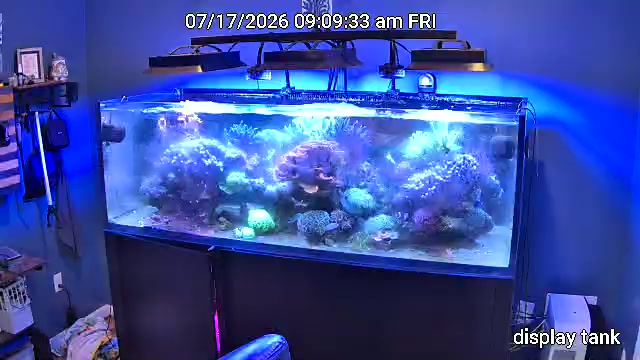
Good reefkeeping is mostly small, steady habits: test, look, change one thing, wait, and test again. This week’s updates are built around that rhythm, and around one simple idea. You should never have to hunt for a button.
The big one: ask Captain Chris how to do anything
Captain Chris has always talked reef chemistry with you. Now he also knows his way around ReefMind itself. Ask a “how do I…” question, such as “how do I add my controller?”, “how do I delete a test I typed wrong?” or “how do I set up my camera?”, and he answers with the exact taps to follow.
Each how-to answer comes with a link that opens the right screen, so you can go straight there instead of digging through menus. If something isn’t possible in ReefMind yet, Captain Chris tells you that plainly instead of guessing.
Account and billing changes stay in your hands. Captain Chris can show you where those settings are and what they do, but he can’t cancel, delete or change your account or billing for you.
A weekly coach for your tank
The new Weekly Tank Coach card sits at the top of the Tank tab. Each week it shows one win, one thing to watch and a 2-minute lesson, all drawn from your tank’s last 7 days.
Captain Chris now also remembers the dosing and husbandry changes you made over the last week. If you ask about changing the same thing again, he’ll suggest waiting for a few more readings first. That patience is one of the best habits a reefer can build: most parameters need a few days to show what a change really did.
Beginner or Experienced: your choice
In Settings → Personal Settings → Experience, choose Automatic, Beginner or Experienced. Beginner keeps Tank, Tasks and Ask Chris in the bottom bar and moves everything else under More. Nothing is removed, it’s just quieter.
You can also pick the units Captain Chris answers in: temperature in °C or °F, and salinity in ppt or SG. Use whatever matches your thermometer and refractometer, so you never have to convert in your head.
More control over GHL dosing
Some GHL dosing heads don’t report how much they dosed. For those, tap Log dose in Today’s Dosing to record a dose, or Set daily amount for a dose that repeats every day. Your dosing history stays complete, which makes trends in alkalinity, calcium and magnesium much easier to read.
If you confirmed a GHL channel as a doser and it isn’t one, take it off with Remove from dosing map in Settings. None of this changes anything on your GHL controller.
One What’s New button
The two buttons that used to stack in the bottom-left corner of the dashboard are now a single What’s New button. It shows how many items you haven’t seen yet and opens Latest updates and Tips together in one panel.
On iPhone? An app is coming
We’re building an official ReefMind.ai app for iPhone. Until it’s ready, please don’t download the app named ReefMind in the Apple App Store. It isn’t ours and isn’t connected to your ReefMind.ai account.
On iPhone or iPad, open reefmind.ai/dashboard in your browser, tap Share, then Add to Home Screen. It opens like an app. On Android, get the official ReefMind.ai app on Google Play.
Try it this week: open Captain Chris and ask him how to do the one thing you’ve been meaning to set up.
Brett Miller
Founder, ReefMind.ai