
ReefMind product update
Your camera now names the fish and coral it sees
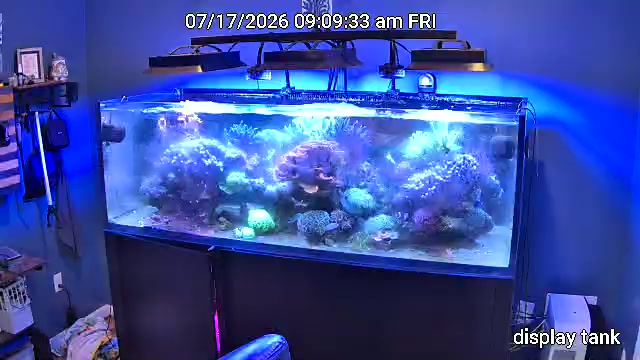
ReefMind has been reading your camera photos for a while and writing a short note about what it sees. Starting today, every account with a ReefMind camera also gets something you can tap: boxes on the photo showing exactly which fish or coral ReefMind means.
Numbered boxes on your camera photos
When ReefMind analyses a camera photo, it now draws a numbered box around each fish and coral it thinks it sees. A dashed box means it isn’t sure what the animal is.
Tap any box to tell it what’s right: mark it Correct, pick the right animal from your Livestock list, or choose Not a fish or Unknown.
It’s early, and it makes mistakes
Please expect some wrong answers. The camera AI is new, and it gets confused most often by fish and corals that look alike, especially the blue ones. Every correction you make helps it do better on your tank.
Your corrections only teach your own tank. Nothing you correct is shared with any other account.
It can only name animals that are on your Livestock list. If your fish and corals aren’t there yet, add them so ReefMind can use their names.
What the camera noticed
After a few days of photos, a new What the camera noticed panel sums up the week: which fish have been seen lately, how your corals’ size and colour are trending, how much algae is showing, and how your skimmer cup looks.
If it says a fish was “not seen on camera in 36h”, that just means go take a look. Fish hide, sleep in the rocks and swim out of frame. It is never a diagnosis, and it can’t tell you whether an animal is healthy.
A bigger photo you can zoom into
The camera photo is now shown much larger. Tap the photo or Enlarge to open it full screen, then pinch, scroll or double-tap to zoom in up to 5x and drag to look around. The boxes stay in place and you can still tap them while zoomed in.
The camera also opens on the latest photo that has boxes, and thumbnails in the timeline show how many boxes each photo has, so you can jump straight to the ones worth checking.
Weekly Tank Coach is now a widget
The Weekly Tank Coach is now a dashboard widget. If you’d rather not see it, remove it like any other widget, and add it back any time from the widget picker.
Try it this week: make sure your fish and corals are on your Livestock list, then open your camera, tap a few boxes and tell ReefMind what’s right.
Brett Miller
Founder, ReefMind.ai